
Last year I swapped my desk for one with a metal top panel and moved the wireless charger I had been using for two years onto it. The first night already felt wrong: the phone sat there all night and only reached just over seventy percent by morning, while the underside of the pad was noticeably hotter than before. I assumed the charger was wearing out and bought a new one. Identical result. The problem was not the charger, it was the desk underneath it.
Behind the coil of a wireless charger there is normally a shielding sheet, technically a layer of soft ferrite. It does three jobs: guiding flux, blocking flux and conducting heat. Magnetic field lines naturally spread in all directions; the sheet gives them a low-resistance return path and gathers them toward the phone's coil, while stopping the part of the field that would otherwise travel downward beneath the pad. The material is thin, commonly 0.3 to 0.7 mm and rarely more than a millimetre thick.
That protection has limits, though. Blocking the small amount of metal inside the pad's own housing is fine; blocking an entire metal desk is not. Whenever an alternating field meets a conductor, it induces eddy currents inside it, and those currents dissipate as heat through resistance, so energy meant for the phone ends up warming the desk. Early patents in this field state it plainly: place a charging platform on a metal table and the alternating flux it generates will drive currents through the metal, causing abnormal energy transfer and even heating inside the table. Ferrous metals such as iron and steel add a second problem, because they do not only generate eddy currents; they also bend field lines, weakening the coupling between the transmitter and receiver coils.
One point trips people up: aluminium, copper and brass are not magnetic, so a magnet will not stick to them, but that does not mean they leave charging alone. They conduct electricity, so they still generate eddy currents. Conversely, the stainless-steel door of a fridge can hold a magnetic charger firmly without charging being smooth at all: high-iron stainless steel is both magnetic and conductive, which makes it one of the least friendly supporting surfaces. Holding power and charging speed are two separate things, and judging efficiency by how hard a magnet grips gets the direction wrong from the start.
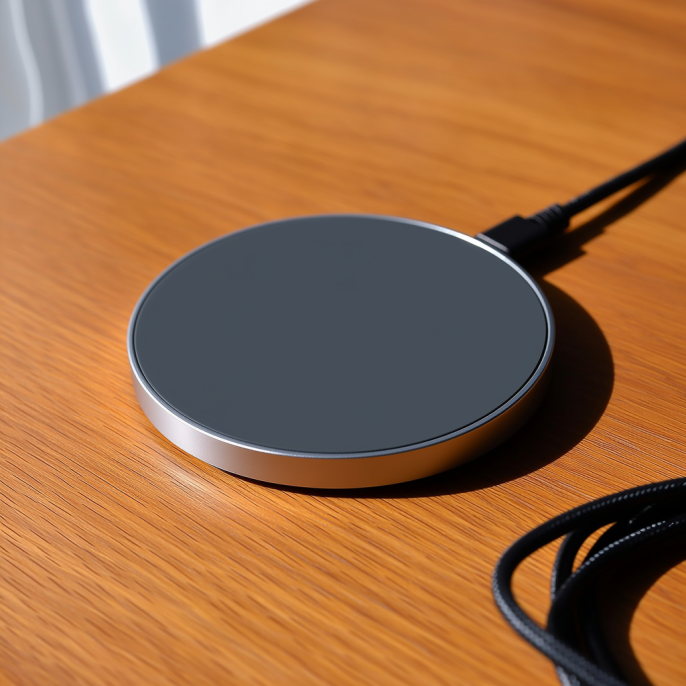
To find out whether this is your problem, the test is simple: keep the same pad and the same phone and change nothing else, then charge for ten minutes each on a solid-wood desk, a glass desk, a sintered-stone or quartz worktop and a metal surface, watching the wattage the phone reports, or simply counting how many percentage points it gains. If the same pad performs clearly worse on one surface, that surface is your answer. The rule of thumb is easy to remember: non-metallic hard surfaces such as solid wood, glass, sintered stone and acrylic are safe ground, while metal-topped desks, metal desk mats, and soft mats with a metal heat-reflective film or mesh inside are the risky ones.
Desk mats and soft materials are the sneakier trap. Some mats genuinely contain a metal layer in the middle, and putting one under a charging pad is the same as adding a shielding mesh by hand. Heat is the other half of the story: plush cushions, sofa armrests and thick fabric mats smother the pad so heat cannot escape, and as soon as thermal control engages the wattage drops. One media comparison found that at a room temperature of about 26 degrees Celsius, a phone left charging wirelessly on a plush cushion reached just over 41 degrees after fifteen minutes, while the same setup on a glass desk stayed around 36 degrees. Same action, different surface, five degrees apart, and those five degrees are often the line between full power and throttling.
In public spaces the effect is amplified. Metal side tables in hotel lobbies, metal counters at airports and metal bars in restaurants all look like ideal spots for a wireless charger, yet they are the least friendly surfaces for one. Relying on the pad to cope on its own is often not enough at scale; a more reliable approach is to leave a non-metallic inset in the metal surface, or switch to a wooden or sintered-stone base. When you sign off on an installation, do not just confirm that charging works, log the temperature of the charging zone and of the pad body as well. Heat rise on metal is consistently higher than on wood, and that single line in a specification is worth far more than a claim about fifteen watts.
Back at my desk, the fix was decidedly low-tech: I put a three-millimetre solid-wood board under the pad and moved it from the centre of the desk to the wooden drawer unit beside it. Same charger, same phone, overnight charging back to its old rhythm, and the underside of the pad merely warm to the touch. So if you have ever noticed charging slowing down simply because you moved the charger, do not assume the charger is dying. Swap the surface first, and you will usually have your answer sooner than new hardware can give it to you.
This article is originally published by Shanwu. Please credit the source when reposting.
Copyright © 2026 Shanwu. All Rights Reserved.