
When I first started using a magnetic wireless charger, friends would watch me snap it onto the back of my phone and immediately ask whether the magnet stuck there all day could wreck the camera or the compass. I worried about it too, until I read Apple's own support pages and ran my own checks. The verdict: a genuine or properly certified magnetic charger used the normal way will not damage your phone. The compass might drift for a moment now and then, and the camera's optical stabilization only acts up when a strong magnet is pressed right against the lens, and both issues go away once you move the magnet away. That's the bottom line; here is why.
To see why this is mostly a non-issue, it helps to know why a magnetic charger has magnets at all. Magnetic models, including magnetic power banks and magnetic cases, wrap a ring of small neodymium magnets around the charging coil. They do two jobs: snap the phone into perfect alignment over the coil, and hold the charger in place so it does not slide off. Qi2 and Apple's MagSafe turned that ring into a full alignment system, so you just drop the phone on and it lines up by itself. The important part is that this magnet ring sits around the coil, while the rear camera module is usually in a corner or at the top of the back, so physically they are not close neighbors.
Start with the compass. Apple states in several official notes that magnetic accessories can affect the magnetometer, the chip behind the compass. In practice, with a MagSafe case or a magnetic wallet snapped on, it is common to see the compass swing off by twenty or thirty degrees or more, and the navigation arrow briefly points the wrong way. But this is the magnetometer being temporarily thrown off and recalibrated in software, not a broken sensor: remove the magnetic accessory, open the Compass app and wave the phone in a figure-eight motion for about ten seconds, and the reading settles again. Genuine MagSafe is engineered with shielding, so drift while charging is usually small; the ones that really throw it off are third-party magnets that are too strong or sit near the lens.
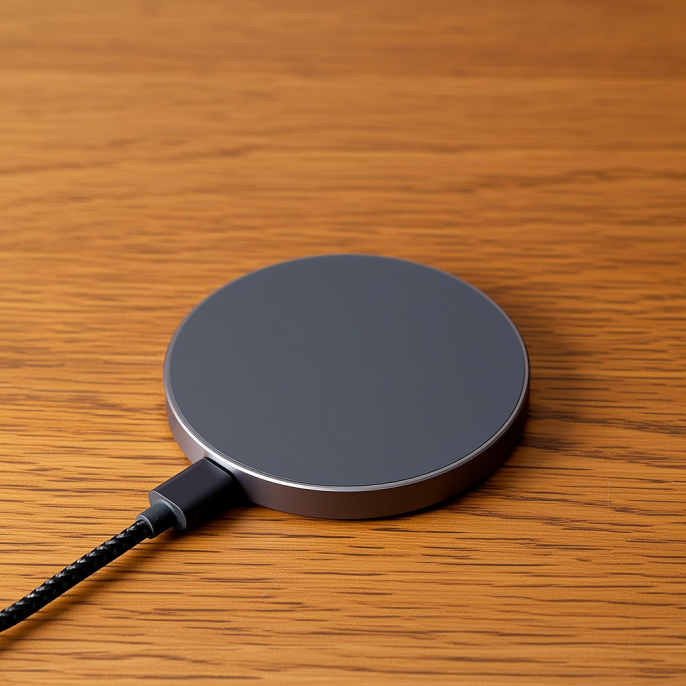
Now the camera, which is what most people actually fear. Apple's support document, number 102434, is blunt about it: both optical image stabilization, OIS, and closed-loop autofocus use lens-position sensors that respond to magnetic fields, and placing a magnet next to those sensors can interfere with or temporarily disable them, so photos come out blurry or fail to focus. iPhone 12 Pro and later use sensor-shift stabilization, which is more sensitive to strong magnets. The reassuring part is that the document also says this is only temporary, move the magnet away from the camera and stabilization and focus return to normal with no permanent damage. So the charger itself is not the worry; shoving a strong magnet right up against the lens is.
So what actually counts as shoving a strong magnet against the lens? From what I have seen, the real high-risk cases are three. First, third-party magnetic lens rings or filters that put the magnet right over the camera. Second, sticking a magnetic ring or plate on the small patch of back directly under the lens, landing squarely on the sensor. Third, cheap magnetic car mounts where the magnet is on one side and the phone is clipped sideways, leaving the lens very close to it. A normal magnetic wireless charger keeps its ring around the coil, at a distance from the camera module, so daily charging carries little risk. The rule of thumb: keep magnets off the area around the lens and you are fine.
Android phones follow the same logic, just expressed differently. Many Android handsets have no built-in magnet ring and rely on a magnetic case or ring to enable magnetic wireless charging, which means the magnet on that case or ring has to be placed with care, again keep the strong magnet away from directly under the camera. A few flagships now ship with alignment magnets of their own, the ones with Qi2 certification, and those rings are laid out around the coil just like Apple's, so normal use is a non-issue. In short, whether iPhone or Android, the risk lives in a third-party strong magnet stuck in the wrong spot, not in the magnetic charger itself.
Once you know the mechanism, avoiding trouble day to day is easy. One, prefer the original or a Qi2, MFi-certified magnetic charger or power bank, because their magnet rings are positioned and sized for the phone. Two, when buying a magnetic case or mount, avoid versions that put a strong magnet directly under the lens; pick ones whose magnets wrap around the coil and steer clear of the camera. Three, if your shots suddenly look soft or refuse to focus, take off every magnetic accessory, lay the phone flat on a non-magnetic wooden surface for a few seconds so the stabilizer resets, then shoot. Four, if the navigation arrow drifts, do not panic, remove the magnetic gear and do the figure-eight calibration.
To wrap up, the magnet inside a magnetic wireless charger was engineered for alignment and holding, kept at a distance from the camera and held to a restrained strength. Apple's documentation and plenty of real-world testing point to the same conclusion: a genuine or certified magnetic charger used normally neither harms the camera's stabilization nor breaks the compass. The thing to actually watch for is third-party gear with magnets that are too strong and pressed against the lens. So go ahead and snap that magnetic charger onto your phone, as long as the magnet is reasonable and stays off the lens, both your camera and your compass will be just fine.
This article is originally published by Shanwu. Please credit the source when reposting.
Copyright © 2026 Shanwu. All Rights Reserved.