
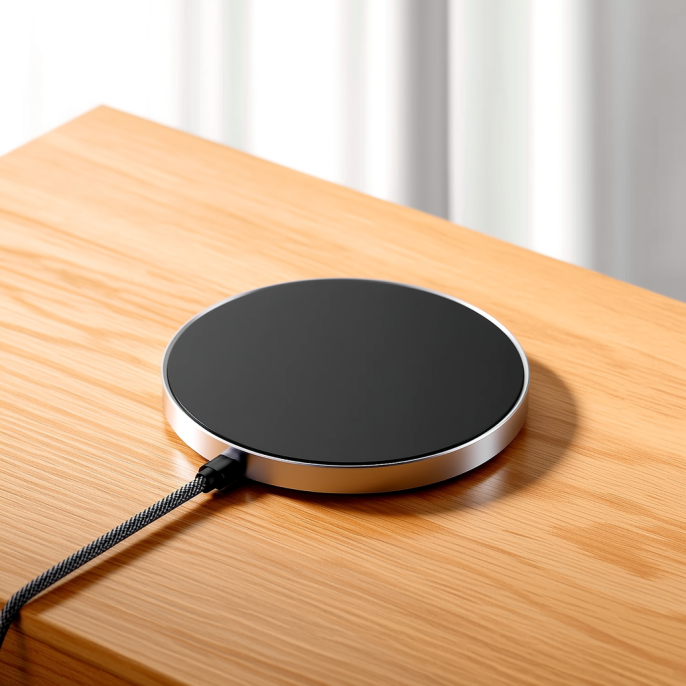
Last month I changed the setup for my 25W magnetic wireless charger: on a hotel trip I left the original cable at home and grabbed a thin spare USB-C cord from my bag. The phone quickly showed a slow-charge warning, and a meter read only 7.5W, more than twice off full speed. My first thought was a dead charger, but swapping the original cable back restored 25W. That's when it hit me, with wireless chargers the cable is never just something that conducts electricity.
The single most important property of a cable is its thickness, measured as AWG. A smaller number means a thicker, lower-resistance wire. A common 28AWG cord runs about 0.213 ohms per meter; at 3A that drops 1.28V, leaving the device only 3.72V, below the USB minimum, so the handshake fails or falls back to a low-power tier. A 22AWG cable at the same 3A drops just 0.32V and delivers a steady 4.68V. In short, for a magnetic charger to hold a 9V/3A or 20V/1.5A profile, the core needs to start at 22AWG to keep voltage where it belongs.
The second detail is the E-Marker chip. It's a tiny IC embedded in the plug of a quality cable, essentially the cord's ID card that tells the charger and phone how much current it can handle. Without it, or with a counterfeit white-label chip, the devices play safe and refuse to push current, so PD negotiation stalls at 60W or lower. One lab tested sub-ten-dollar PD cables and found over 60% failed E-Marker verification, delivering only 33 to 47W under a 100W load. Cables from Anker, Belkin, or UGREEN with a USB-IF TID number are far safer than nameless bargains.
A common mix-up: on a magnetic wireless power bank, the cable affects how fast the bank itself recharges, not the wireless output to your phone. But a slow input still ruins the experience. A 10000mAh magnetic bank fills in just over an hour on a proper 30W cable, yet drops to a 10W tier on a thin cheap cord and takes nearly an extra hour. The magnetic tip also adds contact resistance versus a direct plug, costing 5% on good units and up to 15% on poor ones. Budget magnetic cables often use copper-clad aluminum or thin cores, showing clear voltage drop and heat under load, so don't expect full speed.
For a three-in-one or multi-device wireless charging pad, the cable matters even more. The whole pad is fed by one cord, and with a phone at 15W plus a watch at 5W plus earbuds at 5W, the input budget easily hits 25W or 40W, all riding on that single line. A too-thin cable's voltage drop starves the pad's internal buck converter, so it isn't just the phone that slows down, the entire pad throttles together. When choosing a multi-device charger, always read the input spec on the pad and don't assume any random cable will do.
Length and material amplify the gap. Resistance climbs with length, so a 2-meter cable needs 14AWG to hold 100W, a step thicker than the 16AWG used at 1 meter. The real trap is copper-clad aluminum, or CCA, cable, whose mid-section hit over 68°C in one test and tripped the GaN charger's thermal throttle. A braided jacket only affects wear and feel; the core spec is what sets speed. For a wireless charger, staying under 1 meter, starting at 22AWG, and using an E-Marker cable is the safe combo.
Picking and checking a cable is not hard. When buying, look for the AWG rating and 3A or 5A current on the listing, plus a USB-IF certification number. For magnetic cables, choose full-function multi-pin types rated at 5A and skip the old two-pin magnetic tips that only do 5V slow charging. Once in hand, a meter like the POWER-Z shows the negotiated voltage tier; if it holds 9V or 20V you're fine. The original cable is usually safest, and among third parties, established brands with in-house design, manufacturing, and sales beat white-label shops.
At the end of the day, the cable is the most underestimated link in a wireless charging setup. Spend decent money on a high-power magnetic charger, then pair it with a few-dollar thin cord, and you've quietly given the speed back. Treat the cable with the same care as the charger head, and the whole experience keeps up. Next time a wireless charger mysteriously slows down, before swapping the charger, pull out that cable and check its thickness and markings, the answer is probably right there.
This article is originally published by Shanwu. Please credit the source when reposting.
Copyright © 2026 Shanwu. All Rights Reserved.